When Data Automation Fails Silently: Why Automated Data Monitoring and Alerts Matter
- ⏰ August-27-2026 |
- ✍️ By Admin |
- 🏷️ In Data Automation
Businesses today depend on automated systems to collect, process, validate, and transfer large volumes of data. Automation helps reduce manual work, improve efficiency, and speed up business operations. However, automation is not completely free from errors.
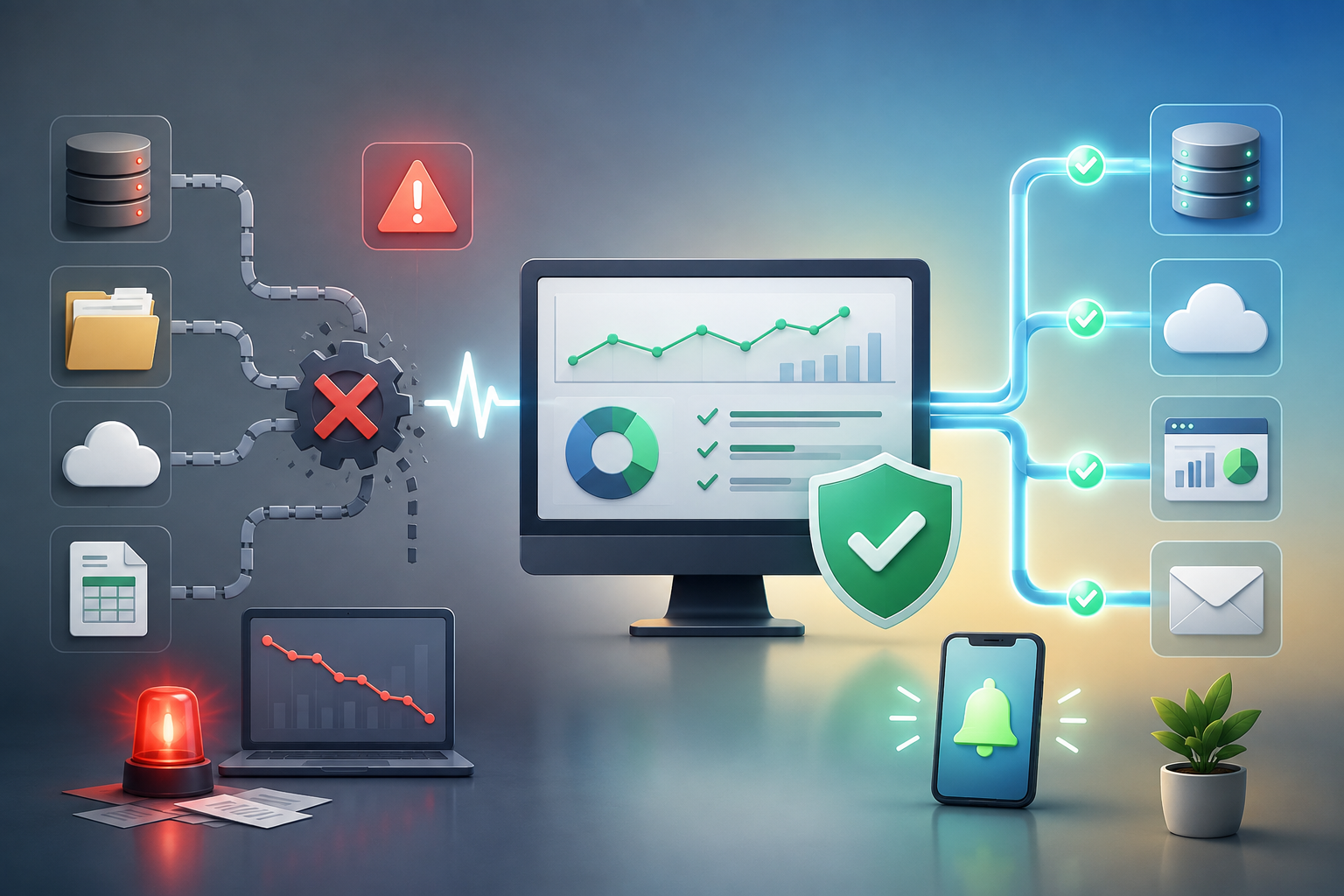
Sometimes, an automated data workflow can fail without anyone noticing immediately. Data may stop updating, records may go missing, an integration may break, or incorrect information may continue flowing through the system. These are often known as silent failures.
This is where automated data monitoring and alerts become essential.
What Is Automated Data Monitoring?
Automated data monitoring is the continuous tracking of data workflows to ensure that systems are functioning correctly. Instead of waiting for an employee to identify a problem, monitoring systems automatically check data activity and identify unusual patterns or failures.
For example, a monitoring system can identify when:
- Data has not been updated as expected
- A sudden drop or increase occurs in data volume
- Records are missing or incomplete
- Duplicate data is detected
- A system integration fails
- An automated workflow stops running
- Data does not meet expected quality standards
When an issue is identified, an automated alert can notify the appropriate person or team.
What Does a Silent Failure Look Like?
Imagine a business that automatically transfers customer enquiries from a website to its CRM system.
The system normally processes hundreds of enquiries each day. One day, the integration fails due to a technical issue. However, there is no visible error message, and the team continues working without realizing that new customer enquiries are no longer entering the CRM.
The problem may only be discovered days later.
By that time, the business may have lost potential customers and valuable opportunities.
Automated monitoring can detect such issues early and send an alert when the expected data flow changes.
Data Monitoring vs. Data Validation
Although they are closely related, data monitoring and data validation serve different purposes.
Data validation checks whether individual data entries meet predefined rules. For example, it can identify an invalid email address or a missing required field.
Data monitoring focuses on the overall health and performance of the data workflow.
For example, monitoring can identify that:
“No new records have been received in the last three hours.”
Both processes are important for building reliable data automation.
The Importance of Automated Alerts
Detecting a problem is useful, but the right people also need to be informed quickly.
Automated alerts can notify teams through:
- Messaging platforms
- Dashboards
- System notifications
- Workflow management tools
Alerts can also be configured based on the severity of the issue. A minor formatting problem may simply be flagged for review, while a complete workflow failure may require immediate attention.
The Role of AI in Data Monitoring
AI can add another layer of intelligence to automated data monitoring.
Instead of relying only on predefined rules, AI can help identify unusual patterns or unexpected changes in data. For example, an AI-based system may detect that daily transaction volumes are significantly lower than normal, even if the system has not completely stopped.
This type of anomaly detection can help businesses identify potential issues before they become major problems.
Key Benefits for Businesses
Automated data monitoring can help businesses:
- Detect problems earlier
- Reduce downtime
- Improve data reliability
- Protect important business workflows
- Reduce manual monitoring efforts
- Improve decision-making
- Respond to issues faster
- Maintain better operational efficiency
Conclusion
Data automation should not be treated as a process that can simply be set up and forgotten. Even well-designed workflows need regular monitoring to ensure they continue functioning correctly.
Automated data monitoring and alerts help businesses move from a reactive approach to a proactive approach. Instead of discovering problems after they affect operations, organizations can identify potential issues early and take action quickly.
As businesses continue to rely on automation, monitoring becomes an important part of maintaining reliable and efficient data workflows.
Because successful automation is not only about making data move automatically—it is also about knowing when something goes wrong.